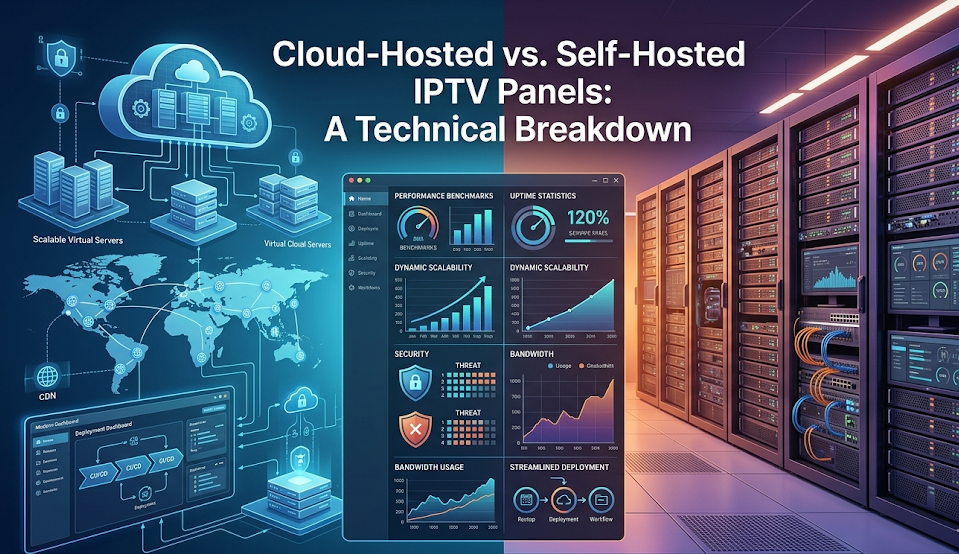
Cloud-Hosted vs. Self-Hosted IPTV Panels: A Technical Breakdown
The Decision That Shapes Everything
Your IPTV panel is the central nervous system of your operation — handling billing, user management middleware, channel routing, and your VOD library. Before a single stream is ever broadcast, you need to make one foundational call: Cloud-Hosted (SaaS/Virtual) or Self-Hosted (Bare-Metal/Dedicated).
Cloud-Hosted
Your panel runs on virtualized infrastructure. The provider owns the hardware — you manage the application layer.
Self-Hosted
You provision bare-metal dedicated servers. Root access to the OS, total control over every layer of the stack.
Uptime & Performance
This choice directly determines your database latency, network throughput ceiling, and disaster recovery options.
Scale & Cost
What's cheap at 100 subscribers can become financially unsustainable at 10,000 — depending on which path you chose.
Cloud-Hosted IPTV Panels
Your IPTV management stack runs on virtualized infrastructure — VPS instances from providers like AWS, DigitalOcean, or specialized IPTV SaaS platforms. The streaming media itself is decoupled from the panel, typically routed through external CDNs or load balancers.
Technical reality: Multi-tenant or single-tenant VPS. You manage the application layer (the panel itself), but the provider handles the hypervisor, physical network, and hardware maintenance.
✅ Pros
- Deployment velocity: Pre-configured templates mean panels can be operational in minutes — no command line required
- Elastic scaling: Upgrade RAM, CPU, or bandwidth allocations in a few clicks when your subscriber count spikes
- Automated redundancy: Reputable cloud providers offer snapshots, geographic redundancy, and failover protocols that would take weeks to configure manually
⚠️ Cons
- Database latency: Multi-tenancy means shared physical drives. Virtualized disk I/O introduces baseline latency that grows as your user base scales
- Cost at scale: Cloud bandwidth pricing scales aggressively. High concurrent stream volumes can produce massive, unpredictable monthly bills
Self-Hosted IPTV Panels
You provision bare-metal dedicated servers directly from data centers or rack your own hardware. Root access to the underlying OS (typically Ubuntu Server or CentOS), with panel software like Xtream UI or a custom middleware stack installed and managed entirely by you.
Technical reality: Physical hardware. You dictate the CPU architecture, RAM speed, and storage medium. Total ownership over kernel parameters, firewall tables (iptables/ufw), network routing rules, and database engines — typically heavily optimized MySQL or MariaDB instances.
✅ Pros
- Maximum performance: Localized NVMe arrays with raw read/write access means near-zero database latency, even under heavy concurrent load
- Network throughput control: Dedicated unmetered ports (10Gbps or 20Gbps symmetric) at a flat monthly rate — no surprise bandwidth bills
- Total customization: Compile custom kernels, tune TCP congestion algorithms like BBR, and optimize every layer specifically for high-volume video streaming
⚠️ Cons
- High maintenance overhead: You are the SysAdmin. Replication topologies, RAID configs, security patches, DDoS mitigation — all yours
- Single point of failure: A fried motherboard or failed drive with no pre-configured high-availability failover cluster means your entire business goes dark until hardware is replaced
Head-to-Head Across Key Technical Vectors
Which Architecture Should You Choose?
Choose Cloud-Hosted if…
- You're a startup reseller or solo entrepreneur
- You have fewer than 2,000 active subscribers
- You lack advanced Linux administration skills
- You want predictable uptime without managing server hardware
Choose Self-Hosted if…
- You're an established provider with tens of thousands of subscribers
- You manage your own localized content delivery network
- You have an internal network engineer — or the skills yourself
- You need to drastically reduce bandwidth costs at scale
💡 Your choice dictates your daily workflow. Choose the path that aligns not just with your budget, but with your technical expertise and where you realistically expect to be in 12 months.
Start on the Right Infrastructure with Glo IPTV
Whether you're launching your first reseller panel or scaling an established operation, Glo IPTV's wholesale program gives you a rock-solid streaming backbone — so you can focus on growing your business, not babysitting servers.
✏️ Explore Glo IPTV Reseller Plans